Features

Everything that carries your day.

From the flexible timeline to focus mode, widgets and repeats — here you'll find every tool in detail.

Planned tab

Your day, visible and flexible.

  • Chronological timeline: plan blocks and calendar events mixed together, including free time shown in between.
  • Drag & drop with cascading shift: move one block and all the following ones adjust automatically — calendar events stay fixed walls.
  • Shift everything: move your entire daily plan by up to ±4 hours with a slider.
  • Send to calendar and access archived plans anytime — shake to undo included.
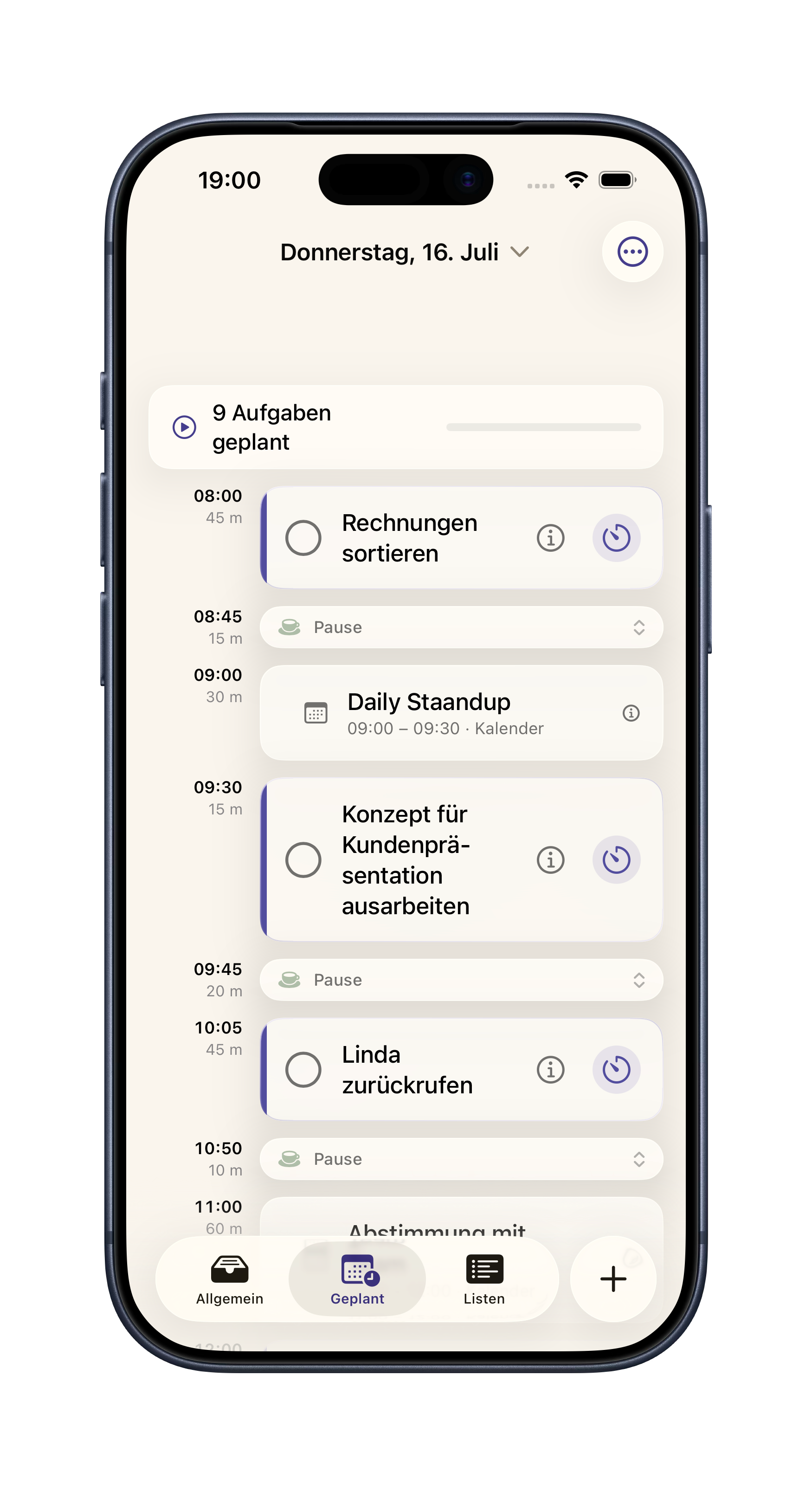
Todai timeline with plan blocks, calendar events and breaks
Focus mode

Focus that actually carries you through.

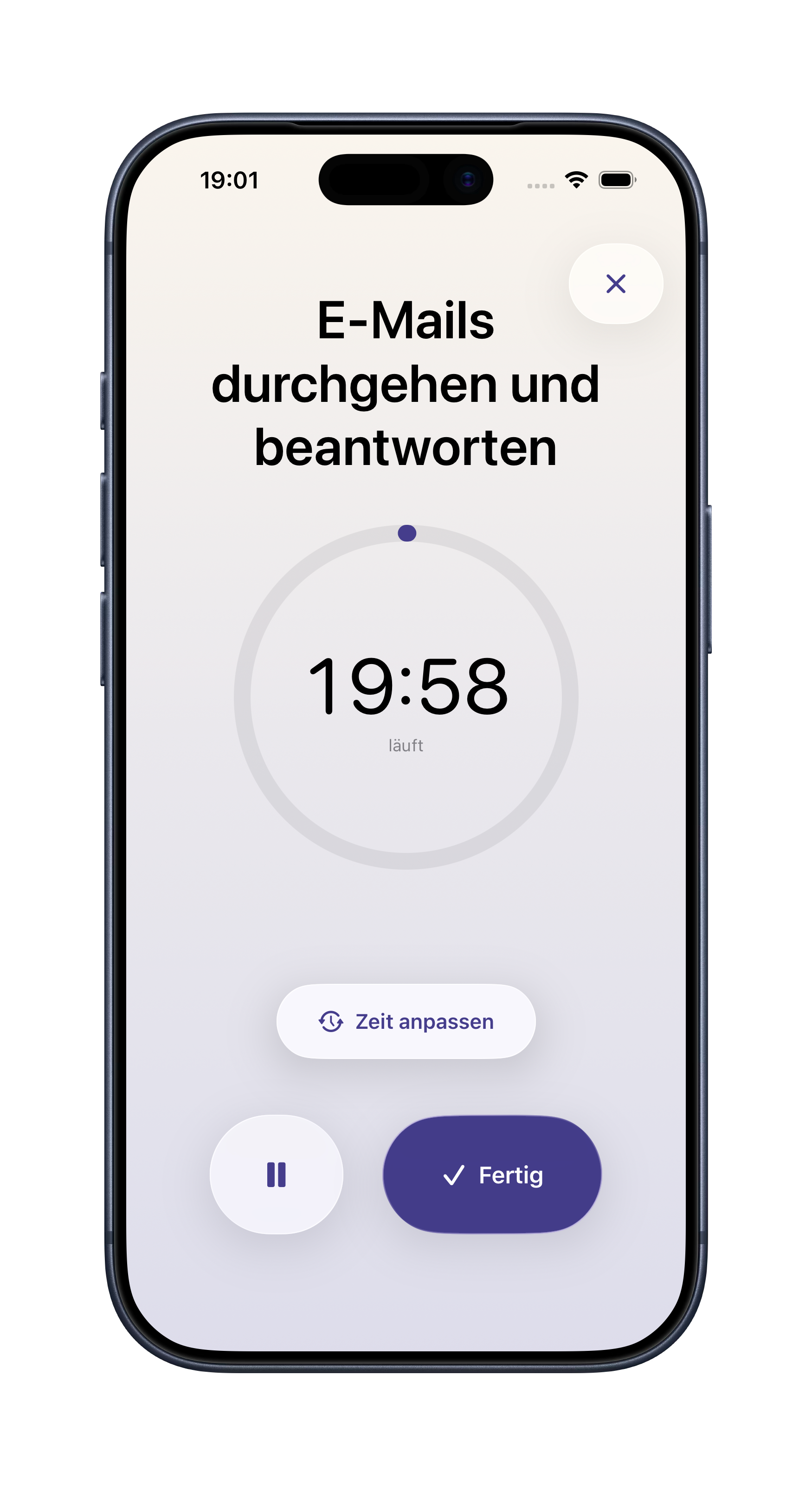
  • Timer with ring: a circular progress ring shows your progress at a glance.
  • Adjust on the fly: extend or shorten the session while it's running — the rest of your daily plan cascades automatically.
  • Keeps running reliably: wall-clock based — works even with a locked screen or the app in the background.
  • Live Activity & Dynamic Island: your running session always visible — including a streak banner on new milestones.
Todai focus timer with progress ring, during a session
Widgets & calendar

Always in view — without opening the app.

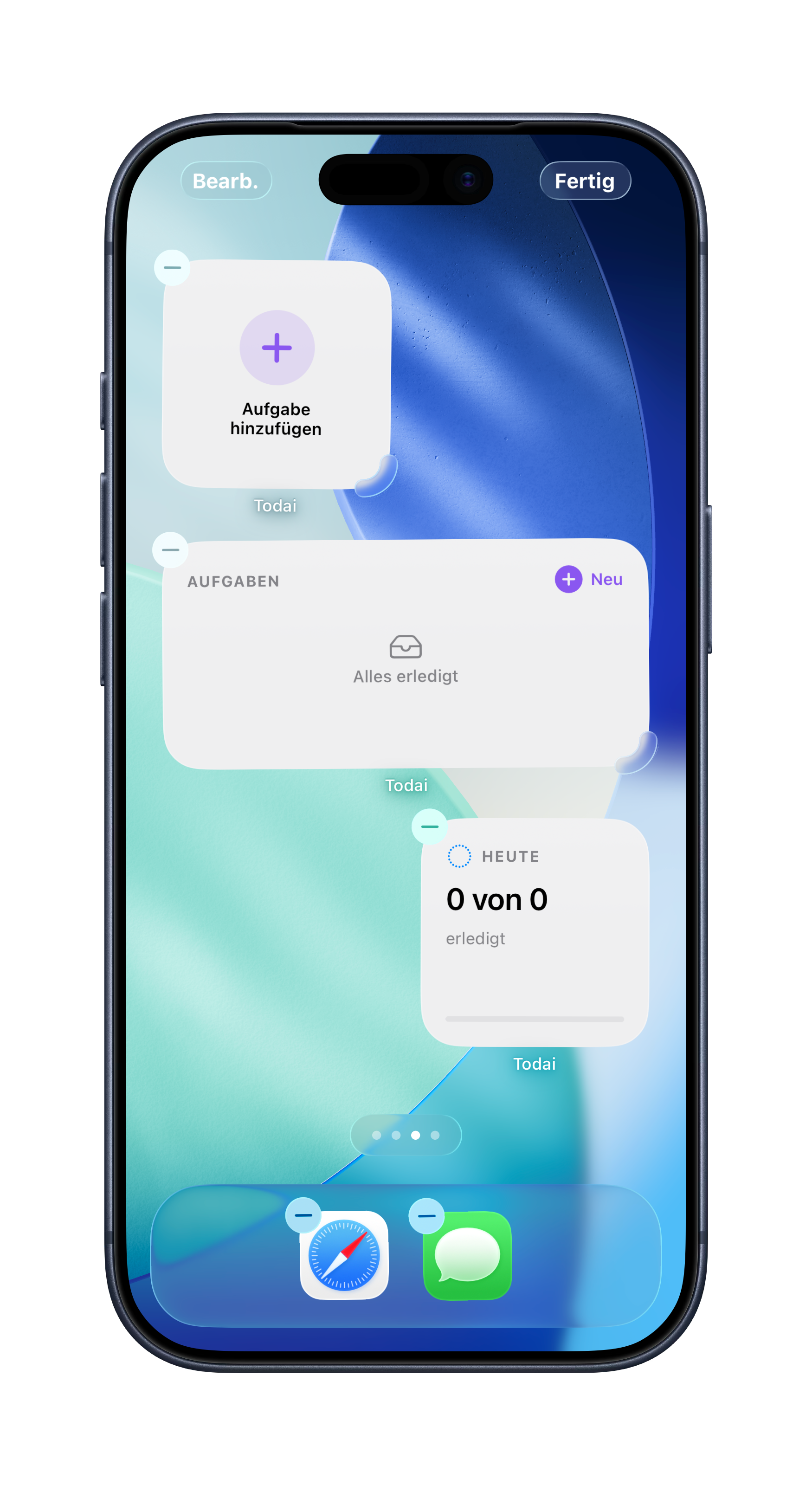
  • Home & lock screen widgets: next block, daily progress and the next three tasks at a glance.
  • Always current: widgets update instantly on every plan change — plus every 15 minutes.
  • Calendar integration: existing events are read, plan blocks can optionally be written back.
  • Edit directly: adjust title, time, location and notes of calendar events right in the app.
Todai home screen widgets: add task, task list and daily progress
And much more

Built for every detail of your day.

Todai is packed with small features that make a big difference day to day.

Repeats & streaks

Daily, weekly or custom repeats with a streak counter and a Dynamic Island celebration on every extension.

Multi-session tasks

Split big projects into multiple sessions — the AI automatically suggests count and length.

Lists

Organize tasks by area like work, personal or projects — with dedicated statistics per list.

Siri & App Intents

Add tasks, start focus, or have your day planned via Siri — fully automatable with Shortcuts.

Extensive statistics

12-week heatmap, energy hit rate, time-of-day analysis and focus time in detail.

Custom settings

Daily window, energy peak times, minimum spacing between blocks and break behavior — all tunable to your needs.

Archive & undo

View and restore completed tasks from the last 30 days. Shake = instant undo.

Carry-over & search

Unfinished tasks from the last 7 days are suggested to you. Full-text search and flexible sorting included.